New Dell Latitude E6500 15.4" Demo Laptop
First thing I did was wipe XP off it and install Win 7. Now yet again I am struggling with drivers as well as the initial setup. One would think I would learn after awhile...
This machine scores a 4.0 on the Experience Index, lowest performance is the Aero Graphics. Everything else is a 5 or above. I think it is usable. It only has 4G RAM and a 160Gb HD, but so far the laptop isn't too bad. It is heavy though, and size has its advantages as well as disadvantages. There is plenty of audio (more about full-duplex later) and I kinda like the keyboard. There is a really slim power adapter, whose led power-on indicator is a blue led ring around the power plug where it connects to the laptop. Cool, but more glitz I can live without. Probably necessary for those idiots who cannot tell if there is power coming outta their adapter...
The WI-FI adapter is an Intel 5100 AGN, and I am not impressed with its performance. Seems it only connects at 52 mps, where an Intel 4965 will connect from this same spot at 130 mps. I will look into that. It has the obligatory fingerprint swipe device, which I chose not to install drivers for. Biometrics is nice, but I have yet to find a device that doesn't act like a TSR and leak memory like a sieve. Oh well.
Bigger is generally better, but in this case I think it may be a big drawback. If you are looking for a desktop replacement, then sure, this is your baby. If it won't leave your desk (or kitchen table) except for Sunday dinner, then you won't mind how heavy it is. But if you have to carry this to meetings, and then home each day, I think the size and weight is a showstopper. Sure a 15.4" widescreen laptop is nice when you play a movie, or edit a photo, the resolution (1920X1200 WUXGA) makes it shine. But walk a hallway every day with this beast, and I can guarantee you will prefer to take notes with a pencil and paper rather than drag this monster to another meeting.
If I had to buy one for my own use, I would equip it with 8G RAM (doesn't support 16G), the WUXGA display, 500Gb 7200RPM drive and the nVidia NVS graphics adapter. Maybe then I could eek out a 5.0 on the EI, as long as I had the T9800 Core2 Duo. Even better yet, configure an E6400 like that and shed a pound or two minimum. 9-cell batteries, even LI-ION add quite a bit of weight. The E6500 STARTS at 5.17 lbs, with the 4-cell battery and no optical drive. Load it up and it makes a great door stop...
The wireless works better now, I adjusted the 802.11n settings and I consistently get 120-135 mps connect speeds now. All I need to do is test the thruput. That, and test the audio. I will need to get full-duplex working in some sort of fashion in order to use it with the ham radio equipment. I will TRY the default 'listen' control before I start hacking the registry. I promise. All I need to do is find the time...
Showing posts with label full-duplex. Show all posts
Showing posts with label full-duplex. Show all posts
Tuesday, June 23, 2009

Saturday, May 30, 2009
RigBlaster Pro Mic Wiring
I promised more detail, so here it is.
I have ripped the setup apart to make room for dinner on the kitchen table, so now I am cleaning this blog up by finishing the setup details. Brad N1JIF shot some closeups of the equipment as we ripped it all down, and I will compile the details in seperate posts.
I am getting ready to record the audio exchanges and put the finishing touches on the laptop setup and while all of this is fresh in my memory I have decided to document as much as I can to not only help me, but others who may have questions and are brave enough to navigate this blog for answers. The following info is direct from the RigBlaster Pro User Manual:
YAESU with 8 Pin Screw on Microphone Connectors
(This jumpering is for newer Yaesu radios that have Microphones with isolated PTT & audio grounds.)
INPUT SIDE
Pin #
1 Blue Shunt Jumper to Pin 1 OUTPUT Side
2 Blue Shunt Jumper to Pin 2 OUTPUT Side
3 Blue Shunt Jumper to Pin 3 OUTPUT Side
4 Blue Shunt Jumper to Pin 4 OUTPUT Side
5 White Jumper to PTT GND – INPUT Side
6 White Jumper to PTT – INPUT Side
7 White Jumper to MIC GND – INPUT Side
8 White Jumper to MIC – INPUT Side
OUTPUT SIDE
Pin #
5 White Jumper to PTT GND – OUTPUT Side
6 White Jumper to PTT – OUTPUT Side
7 White Jumper to MIC GND – OUTPUT Side
8 White Jumper to MIC – OUTPUT Side
Here is the diagram as published in the RigBlaster Pro manual:
 Here is the actual photo of the jumpers as I have them configured inside the RigBlaster Pro:
I have ripped the setup apart to make room for dinner on the kitchen table, so now I am cleaning this blog up by finishing the setup details. Brad N1JIF shot some closeups of the equipment as we ripped it all down, and I will compile the details in seperate posts.
I am getting ready to record the audio exchanges and put the finishing touches on the laptop setup and while all of this is fresh in my memory I have decided to document as much as I can to not only help me, but others who may have questions and are brave enough to navigate this blog for answers. The following info is direct from the RigBlaster Pro User Manual:
YAESU with 8 Pin Screw on Microphone Connectors
(This jumpering is for newer Yaesu radios that have Microphones with isolated PTT & audio grounds.)
INPUT SIDE
Pin #
1 Blue Shunt Jumper to Pin 1 OUTPUT Side
2 Blue Shunt Jumper to Pin 2 OUTPUT Side
3 Blue Shunt Jumper to Pin 3 OUTPUT Side
4 Blue Shunt Jumper to Pin 4 OUTPUT Side
5 White Jumper to PTT GND – INPUT Side
6 White Jumper to PTT – INPUT Side
7 White Jumper to MIC GND – INPUT Side
8 White Jumper to MIC – INPUT Side
OUTPUT SIDE
Pin #
5 White Jumper to PTT GND – OUTPUT Side
6 White Jumper to PTT – OUTPUT Side
7 White Jumper to MIC GND – OUTPUT Side
8 White Jumper to MIC – OUTPUT Side
Here is the diagram as published in the RigBlaster Pro manual:
Here is the actual photo of the jumpers as I have them configured inside the RigBlaster Pro:  The 2 jumpers to the right of the block are not connected to anything, they are for jumpering receive audio at the mic connector. Neither is the GNDTIE jumper on the block, the actual jumper sits on a single pin. Jumpering this introduces a horrible ground loop that gets passed on thru to the transmitter.
This wiring is for the Yaesu MD-100 mic, which is screwed into the front of the RigBlaster Pro via its 8-pin cable (8-pin RJ-45 modular to circular screw-on 8-pin). Output to the rig is accomplished out the back of the RigBlaster Pro through the 8-pin cable (8-pin modular RJ-45 to circular screw-on 8-pin) to a Yaesu CT-69 connector, which adapts an 8-pin to the modular 6-pin RJ-11 that is required by the FT-100D. The CT-69 contains a 27K resistor as well as a small capacitor (i dunno what the capacitor is for, but Randy N1GWL will explain it to me, as he as well as Chuck WA1NBU are the kings of capacitors) built into the 8-pin circular screw-on shell.
I will forego the MD-100 wiring for now, but I have successfully interfaced the MD-100 to the FT-100, the UP/DOWN buttons work and the audio is outstanding. Problem is, I haven't built the cable for the RigBlaster Pro yet... That requires yet another cable... If anyone wants the details, it is easy to email me for more info, or leave a comment.
Complete 40M-75M Field Day Setup
OK, here is my contribution, listed as best I can.
I hope KT1Q and N1GWL can list their contributions here as comments...
(note you can click on many items and view either the manufacturers site or the actual product itself)
Yaesu FT-100D HF-440 rig
Yaesu MD-100 Microphone
West Mountain RigBlaster Pro
Dell Latitude D630 running Win 7
Astron RS-50M Power Supply
West Mountain RigRunner 4010S
LDG Z-11 Pro Auto Tuner
Daiwa CN-101 SWR/Power Meter
Heil HC-4 ProSet headset
Bird Model 43 ThruLine Wattmeter
Decibel DB4303G Dummy Load
West Mountain PwrGate Controller
Another important piece of equipment often overlooked is the User Manuals. I cannot say how many times I have been told to RTFM (Read The Fine Manual), and equally as many times it has saved my ass. I do have to confess that my book-reading for pleasure was replaced long ago by reference materials and technical bulletins. One of the easiest things to do is to compile all the manuals in .PDF format and put them in your My Documents folder. If you have the ambition, write the manuals to a CD or DVD (depending on size) and if you have a duplex (print on both sides) printer, print them out and place them in a 3-ring binder. Personally my 3-ring binders tend to come out more like a 3-ring circus, but you get the drift of what I am trying to say.
Here is a shot of the setup on the kitchen table:

There isn't a lot of detail you can see in this shot but I will post more about the specific setup. I know a lot of you are thinking 'Jeez, just bring your rig and set it up, no need for all this extra crap...' and at times I tend to agree. But that is what eventually makes the difference between an average station and a top-scoring station. Field Day isn't just an exercise, it is a contest.
I hope KT1Q and N1GWL can list their contributions here as comments...
(note you can click on many items and view either the manufacturers site or the actual product itself)
Yaesu FT-100D HF-440 rig
Yaesu MD-100 Microphone
West Mountain RigBlaster Pro
Dell Latitude D630 running Win 7
Astron RS-50M Power Supply
West Mountain RigRunner 4010S
LDG Z-11 Pro Auto Tuner
Daiwa CN-101 SWR/Power Meter
Heil HC-4 ProSet headset
Bird Model 43 ThruLine Wattmeter

Decibel DB4303G Dummy Load
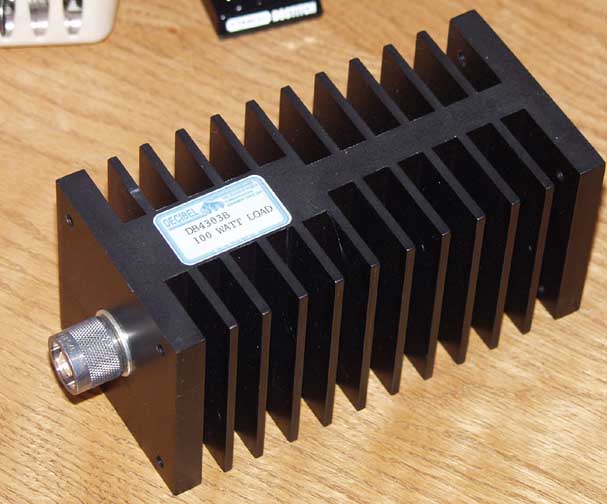
West Mountain PwrGate Controller
Another important piece of equipment often overlooked is the User Manuals. I cannot say how many times I have been told to RTFM (Read The Fine Manual), and equally as many times it has saved my ass. I do have to confess that my book-reading for pleasure was replaced long ago by reference materials and technical bulletins. One of the easiest things to do is to compile all the manuals in .PDF format and put them in your My Documents folder. If you have the ambition, write the manuals to a CD or DVD (depending on size) and if you have a duplex (print on both sides) printer, print them out and place them in a 3-ring binder. Personally my 3-ring binders tend to come out more like a 3-ring circus, but you get the drift of what I am trying to say.
Here is a shot of the setup on the kitchen table:

There isn't a lot of detail you can see in this shot but I will post more about the specific setup. I know a lot of you are thinking 'Jeez, just bring your rig and set it up, no need for all this extra crap...' and at times I tend to agree. But that is what eventually makes the difference between an average station and a top-scoring station. Field Day isn't just an exercise, it is a contest.
I Was Wrong Yet Again...
Windows 7 DOES do full-duplex out-of-the-box...
 Here is the dialog box that controls this action, I overlooked this in my overzealous attempt to bash Microscum's new OS. I guess I can chalk this up to yet another instance where this new OS is waaay smarter than we are, but I WAS correct when I said you will love this OS for the control it gives you. It just WORKS.
Problem is, when you use this control it introduces a bit of a digital delay into the recorded audio, probably an attempt by the almighty Microsmut to prevent feedback when monitoring a high output condenser mic. I can still use the playback control registry hack in the same exact fashion as before, WITHOUT the delay as well. Either one will work, it just depends if you are monitoring your own voice in full-duplex. The delay will throw you for a loop...
The codebase of the OS is a cumulation of NT, XP, Vista and it shows. This is a mature, stable platform that takes up less space and because of that, will appear to run faster and better than any OS you can install on the computer. I can say this because I have installed several different OS's on this laptop, in several different configurations. Currently I am in the process of obtaining a version of OS X that I will be able to run on this machine, too bad there isn't the software base for OS X and Linux that there is for Winslowz, not that I would run anything else at Field Day anyway...
And that includes OS X, this is gonna blow Mac users away. They will never admit it, but this Win 7 thing is gonna revolutionize how people interface with computers. It is the EXACT thing Microsnuff needs to do in order to make up for the failed Vista attempt... When 4-year-olds can run Win 7 without difficulty it kinda sez something about computers - They have truly become just a tool to do things. The OS doesn't necessarily matter anymore (unless you are doing specialized things) if you are only getting info or communicationg, the ability to integrate this tech stuff into our society is key in unlocking the educational process. Everyone gets smarter because of these technical advances, and in turn general crime goes down, but unfortunately terrorists get smarter too, so you can draw your own conclusions there. Best part is that your kids get to do things you only imagined as a child yourself. Truly amazing.
Friday, May 29, 2009
You're Gonna Love Windows 7...
Because it works. It just WORKS.
It is almost CREEPY how well it works. You just put the DVD in, and boot. Answer a couple simple questions, choose some drive options if you want (optional) and go. Come back 15 minutes later and it asks you what you want to call the computer and your account. Simple enough for a Mac user to do all by themself.
Now to see if it will do full-duplex... nope. At least not without some modifications...
Apparently I need to have the Sigmatel HD Audio driver installed in order for the Dell Latitude D630 to do full duplex. But yes, with the registry modifications listed in a previous post, I can get the laptop to do full-duplex on Windoze 7 easily. Works great now!
Windows 7 comes with almost every driver known to man, except for some older or possibly specialized devices. The audio came up easily on this laptop by default out-of-the-box, using the Microsux driver built into the OS. It hasn't recognized the USB-to-serial adapter yet, and I don't quite know if I even need it (this laptop has a 9-pin serial port), but it would be nice to have multiple serial ports available if necessary. Problem is, I don't know if I wanna deal with the inherent latency of the USB operated stuff...
Win 7 runs incredibly fast, on this laptop it is not a fair comparison to what most people run, but I installed it on a Dell Dimension 2400 desktop system this morning (32-bit version) and it is fine. The system is a single-core 2.8GHz machine with standard integrated Intel video and networking. It ran XP before (not great) but WIn 7 runs as well or better. I did need to trick the video driver so that I could get it to display a resolution greater than 640X480, but everything else was recognized easily and the system joined my domain after I authenticated properly.
The trick I used to fool the system is a standard procedure that is commonly used for 'compatibility'. The Dell 2400 has integrated Intel video on the motherboard, and unfortunately it is old enough (from 2004) so that Microskank feels it doesn't need to include drivers. So what if it is only 64M video? I extracted the video driver I got from Dell's Support site to a spot on the hard drive, and then ran the Setup.EXE file in 'compatibility' mode. This effectively removes the driver header information that specifies the designed OS from the .inf file and allows the program to run despite the OS mismatch. Worked great, and I had resolutions up to 1280X1024 when I was done. Piece of cake...
N3FJP Field Day Logger 2.8 seems to install and run fine, I will give it a workout this weekend when I get a chance to record some audio. I also wanna try GoldWave vs. Audacity to see where the better/easier audio will come from. I have never used Audacity, maybe Brad N1JIF can give me a hand. He also said he would snap some shots (not like I couldn't do it...) of the setup so we have something to refer to when it comes time to set it up again. I mainly wanna get shots of the RigBlaster jumper setup, we may need to change that if we have to switch to the backup rig (Yaesu FT-897). I have a feeling the backup rig can be used for VHF/UHF very easily, I think I will bring the truck-mounted mast down. I have a rotor for the thing (light-duty) all we need is a decent 2M/440 beam and an amp or two. We are allowed 150 watts you know...
I still can't get over how slick Win 7 installs and gets up and running. I started the install at 9:PM, and it is 10:30 and I have been blogging on the laptop for over 30 minutes now. Even when I go look for problems, it apparently just takes care of itself with a button-click or a check-box. It DOES take a little getting used to, but if you have used Vista it will be easy to migrate your skills. Moving from XP to Win 7 will throw you for a loop if you aren't ready for it, you will ask yourself over and over 'Where the hell did they put it this time?'.
One neat aspect of the new OS that photographers will like is the ability to calibrate your monitor. This is HUGE. Color accuracy isn't so much a big deal to color-blind people like me, but I have always felt that because of my handicap I have an increased sense of contrast and dynamic range. I think I can see better than most in the dark, and I can tell subtle differences in things others might miss. I can't tell green from brown, but I can see details...
 I am certain it will become a bit more cluttered than this as I get things installed. This evaluation doesn't run out until March of next year (June actually...) and the HD I installed this on is only 120G, so I imagine I can't cram too much crap into this. Time will tell.
It is almost CREEPY how well it works. You just put the DVD in, and boot. Answer a couple simple questions, choose some drive options if you want (optional) and go. Come back 15 minutes later and it asks you what you want to call the computer and your account. Simple enough for a Mac user to do all by themself.
Now to see if it will do full-duplex... nope. At least not without some modifications...
Apparently I need to have the Sigmatel HD Audio driver installed in order for the Dell Latitude D630 to do full duplex. But yes, with the registry modifications listed in a previous post, I can get the laptop to do full-duplex on Windoze 7 easily. Works great now!
Windows 7 comes with almost every driver known to man, except for some older or possibly specialized devices. The audio came up easily on this laptop by default out-of-the-box, using the Microsux driver built into the OS. It hasn't recognized the USB-to-serial adapter yet, and I don't quite know if I even need it (this laptop has a 9-pin serial port), but it would be nice to have multiple serial ports available if necessary. Problem is, I don't know if I wanna deal with the inherent latency of the USB operated stuff...
Win 7 runs incredibly fast, on this laptop it is not a fair comparison to what most people run, but I installed it on a Dell Dimension 2400 desktop system this morning (32-bit version) and it is fine. The system is a single-core 2.8GHz machine with standard integrated Intel video and networking. It ran XP before (not great) but WIn 7 runs as well or better. I did need to trick the video driver so that I could get it to display a resolution greater than 640X480, but everything else was recognized easily and the system joined my domain after I authenticated properly.
The trick I used to fool the system is a standard procedure that is commonly used for 'compatibility'. The Dell 2400 has integrated Intel video on the motherboard, and unfortunately it is old enough (from 2004) so that Microskank feels it doesn't need to include drivers. So what if it is only 64M video? I extracted the video driver I got from Dell's Support site to a spot on the hard drive, and then ran the Setup.EXE file in 'compatibility' mode. This effectively removes the driver header information that specifies the designed OS from the .inf file and allows the program to run despite the OS mismatch. Worked great, and I had resolutions up to 1280X1024 when I was done. Piece of cake...
N3FJP Field Day Logger 2.8 seems to install and run fine, I will give it a workout this weekend when I get a chance to record some audio. I also wanna try GoldWave vs. Audacity to see where the better/easier audio will come from. I have never used Audacity, maybe Brad N1JIF can give me a hand. He also said he would snap some shots (not like I couldn't do it...) of the setup so we have something to refer to when it comes time to set it up again. I mainly wanna get shots of the RigBlaster jumper setup, we may need to change that if we have to switch to the backup rig (Yaesu FT-897). I have a feeling the backup rig can be used for VHF/UHF very easily, I think I will bring the truck-mounted mast down. I have a rotor for the thing (light-duty) all we need is a decent 2M/440 beam and an amp or two. We are allowed 150 watts you know...
I still can't get over how slick Win 7 installs and gets up and running. I started the install at 9:PM, and it is 10:30 and I have been blogging on the laptop for over 30 minutes now. Even when I go look for problems, it apparently just takes care of itself with a button-click or a check-box. It DOES take a little getting used to, but if you have used Vista it will be easy to migrate your skills. Moving from XP to Win 7 will throw you for a loop if you aren't ready for it, you will ask yourself over and over 'Where the hell did they put it this time?'.
One neat aspect of the new OS that photographers will like is the ability to calibrate your monitor. This is HUGE. Color accuracy isn't so much a big deal to color-blind people like me, but I have always felt that because of my handicap I have an increased sense of contrast and dynamic range. I think I can see better than most in the dark, and I can tell subtle differences in things others might miss. I can't tell green from brown, but I can see details...
Here is what my current Win 7 desktop looks like, I know it is hard to see because the resolution of the text is so small (1440X900) but you can get an idea at least of how the interface looks.
I am certain it will become a bit more cluttered than this as I get things installed. This evaluation doesn't run out until March of next year (June actually...) and the HD I installed this on is only 120G, so I imagine I can't cram too much crap into this. Time will tell.
Saturday, May 23, 2009
Testing... 1 2 3 Can You Hear Me Now?
This is episode whatever of the Field Day Setup Blog...
So it turns out this DVK thing is pretty cool. The hard part is getting it setup properly. Using it during a contest will actually work out well, as long as you pay attention to the radio..
The other thing that is kinda difficult is getting your audio levels setup properly. Mike W1ECT turned me on to a nifty audio editing program called GoldWave, which actually overcomes many of the weaknesses of every other audio program known to man. This little gem will do anything. Problem is, you need to be an audio engineer to even understand what half the tools are. For christ's sake, I haven't seen a Parametric Equalizer since the '70's. This has one built in. A Flanger. Compression/Expansion. All I need to find is the Cry Baby wah-wah pedal and I can sound like Jimi Hendrix. (EDIT - turns out this program called Audacity has wah-wah, I may need to try this. Brad has this installed on one of his computers...)
But seriously folks, you will discover every weakness in your audio system while running this program. Fortunately, there is a tool built-in to overcome every weakness found in your system. Now all I need to do is find a decent microphone to plug into the laptop to record all the exchanges I need to record. It will be kinda neat to get this setup, I can already envision how this is gonna go at Field Day. Problem is, what to do when you switch operators...
N1MM has a neat feature that configures things (like audio and CW messages) when you change operators, all you need to do is remember to tell the program when you switch. It stores your exchanges in a seperate folder for each operator. Chances are we will end up recording each operator's exchanges in a seperate file folder and resetting the program each time we switch.
N3FJP 2.8 is pretty straightforward, currently I have it setup with 4 DVK messages, CQ Long, CQ Short, Exchange, and Thanks QRZ. Chances are I will need to setup a couple more, and I might even set them up similar to the N1MM scheme just to keep things similar. I think I need to find a better microphone first though.
I have a nice Shure downstairs, but I am leaning towards using one of the Heil mics I have just so I can have a good base to build on. The GoldWave program allows some pretty neat adjustments, I might even throw in some reverb to make Alan N1LSZ happy. 10-4 good buddy...
Problem is there are so many differences it will be tough to fine one with the appropriate response characteristics. Then you have the problem of impedence matching, and ultimately it is all very, very dependent upon the soundcard you are plugging into, in my case it is a Sigmatel High Definition Audio. I can't recall the exact model number of the device (just looked it up... SIGMATEL STAC 92XX C-Major HD Audio) but I will bet it will work oooh so much better with a cheap-ass Dollar Store mic than with any other conceivable divice I might be able to plug into it. Chances are a cheapo condenser will outperform a $1K Sennheiser...
I wonder if I can plug a mic into the USB port...
So it turns out this DVK thing is pretty cool. The hard part is getting it setup properly. Using it during a contest will actually work out well, as long as you pay attention to the radio..
The other thing that is kinda difficult is getting your audio levels setup properly. Mike W1ECT turned me on to a nifty audio editing program called GoldWave, which actually overcomes many of the weaknesses of every other audio program known to man. This little gem will do anything. Problem is, you need to be an audio engineer to even understand what half the tools are. For christ's sake, I haven't seen a Parametric Equalizer since the '70's. This has one built in. A Flanger. Compression/Expansion. All I need to find is the Cry Baby wah-wah pedal and I can sound like Jimi Hendrix. (EDIT - turns out this program called Audacity has wah-wah, I may need to try this. Brad has this installed on one of his computers...)
But seriously folks, you will discover every weakness in your audio system while running this program. Fortunately, there is a tool built-in to overcome every weakness found in your system. Now all I need to do is find a decent microphone to plug into the laptop to record all the exchanges I need to record. It will be kinda neat to get this setup, I can already envision how this is gonna go at Field Day. Problem is, what to do when you switch operators...
N1MM has a neat feature that configures things (like audio and CW messages) when you change operators, all you need to do is remember to tell the program when you switch. It stores your exchanges in a seperate folder for each operator. Chances are we will end up recording each operator's exchanges in a seperate file folder and resetting the program each time we switch.
N3FJP 2.8 is pretty straightforward, currently I have it setup with 4 DVK messages, CQ Long, CQ Short, Exchange, and Thanks QRZ. Chances are I will need to setup a couple more, and I might even set them up similar to the N1MM scheme just to keep things similar. I think I need to find a better microphone first though.
I have a nice Shure downstairs, but I am leaning towards using one of the Heil mics I have just so I can have a good base to build on. The GoldWave program allows some pretty neat adjustments, I might even throw in some reverb to make Alan N1LSZ happy. 10-4 good buddy...
Problem is there are so many differences it will be tough to fine one with the appropriate response characteristics. Then you have the problem of impedence matching, and ultimately it is all very, very dependent upon the soundcard you are plugging into, in my case it is a Sigmatel High Definition Audio. I can't recall the exact model number of the device (just looked it up... SIGMATEL STAC 92XX C-Major HD Audio) but I will bet it will work oooh so much better with a cheap-ass Dollar Store mic than with any other conceivable divice I might be able to plug into it. Chances are a cheapo condenser will outperform a $1K Sennheiser...
I wonder if I can plug a mic into the USB port...
Friday, May 22, 2009
EnableInputMonitor = 01
Here is installment #5 of the continuing Field Day Setup Progress Report (no longer named FIASCO!)
No longer a fiasco because I was able to get full-duplex audio working on the Dell D630 Laptop!
For those of you with a Dell Latitude D630 running Microstink Vista (or any computer that uses Sigmatel audio for that matter...) who want to enable full-duplex audio, you will need to edit the registry.
Here is the fix:
HKEY_LOCAL_MACHINE\SYSTEM\ControlSet001\Control\Class\{4D36E96C-E325-11CE-BFC1-08002BE10318}\0000\Settings\filter\SpeakerHp\
Change the Binary Value for EnableIntSpkrMute to 00
Add the Binary Value EnableInputMonitor and set the value to 01
Reboot
Right Click the Volume Speaker Icon by the clock on the taskbar, Select Playback Devices, Double-click Speakers/Headphones, Click the Levels tab, then unmute the Input Monitor option.
LET ME MAKE THIS DISCLAIMER - Editing the registry can be dangerous to your computer and your sanity. I cannot be held liable for anything you do while editing the registry of your computer. If you have never edited the registry, or if you feel uncomfortable even thinking about editing the registry, give your laptop to some geek who has done it before, and let them do it for you.
Works like a charm. I now have inserted a REAL laptop into the main slot, let's see how this one reacts...
Anyway, busy day today, spent all day at a conference in South Burlington at the High School. I used to think our school and network were screwed up. Turns out Woodstock is miles ahead as far as technology is concerned, and we are doing things in a small school that bigger schools can only hope to implement some day. Go figure. It appears as though they have plenty of money though, their auditorium was one of the nicest I have ever seen. Really cool audio and lighting boards. Wish we had that.
Testing will continue with the Dell D630 this weekend. I hope to setup some .wav files, but I have to remember to start Sound Recorder from the command line, as by default it wants to record .wma files. Damned Vista... Yet another ill-behaved Microscam product. At least the D630 has a REAL 9-pin com port. No serial to USB adapter to worry about. Besides, I have always thought the delay introduced by the USB stuff was a problem, I will use the ThinkPad with the USB to serial as a backup now. Mike KT1Q won't need to scrape up a backup laptop after all...
Now that the laptop is working (so far) I am actually getting excited about working Field Day with the SOVARC boys (and girls... I haven't seen Mandy AI1A in ages!). The thought of loading all this crap into the truck is a but unnerving, but I survived the NEAR-Fest, so I guess this isn't too much different. I will be hauling real radio-related stuff instead of junk computer crap. It does seem a bit different to go and play radio in a different area, it would make more sense to hang out with the guys around the Upper Valley (TSRC). Ever since they ruined Field Day for myself and Mike N1MS, I have held a grudge. As past president of TSRC I am utterly appalled at what they have become and the money they waste each year. It is not as though they are rich, but they insist on maintaining a used vehicle lot in the guise of 'Emergency Service'. Best thing I ever did was dis-associate myself from those losers. Now I get to play radio with REAL hams... Or as Ed WA1MAG would say, Ham Radio Buffs...
Sometimes taking a break from things can allow you to clear your mind, look at things from a different perspective, and gain some insight that one would normally overlook. That is what happened here, I had to think about things for a bit, then figure out where to look for answers. And that brings me to the whole purpose for these recent posts, a convenient method to document the trials and tribulations of setting up a Field Day station. It really can only get worse from here...
This Dell Latitude D630 is an awesome laptop. I just can't help bragging about what this thing contains:
Intel T9500 dual-core processor @ 2.6 GHz (this may change, I may swap in a slower processor just for testing purposes, probably a T9300 @ 2.5 GHz...)
8Gb PC2 memory (all addressable, requires BIOS A15)
MS Vista SP1 64-Bit
300Gb 7200 RPM Seagate HD
Sony 16X DVD Dual-Layer optical drive
Optional 9-cell battery (approx 4-hours battery life... depending)
Optional Device Bay battery
Actual 9-pin comm port
1440X900 Display Resolution
Intel 4965 BGN Wireless (230 mps wireless connect to an N-Router)
Gigabyte ethernet
I think now you can see why I prefer to use this laptop. It is a road-warriors dream machine.
Anyway, now that it works, let's see what it can do over the next week, I will keep you all posted here. Leave a comment if you get a minute.
No longer a fiasco because I was able to get full-duplex audio working on the Dell D630 Laptop!
For those of you with a Dell Latitude D630 running Microstink Vista (or any computer that uses Sigmatel audio for that matter...) who want to enable full-duplex audio, you will need to edit the registry.
Here is the fix:
HKEY_LOCAL_MACHINE\SYSTEM\ControlSet001\Control\Class\{4D36E96C-E325-11CE-BFC1-08002BE10318}\0000\Settings\filter\SpeakerHp\
Change the Binary Value for EnableIntSpkrMute to 00
Add the Binary Value EnableInputMonitor and set the value to 01
Reboot
Right Click the Volume Speaker Icon by the clock on the taskbar, Select Playback Devices, Double-click Speakers/Headphones, Click the Levels tab, then unmute the Input Monitor option.
LET ME MAKE THIS DISCLAIMER - Editing the registry can be dangerous to your computer and your sanity. I cannot be held liable for anything you do while editing the registry of your computer. If you have never edited the registry, or if you feel uncomfortable even thinking about editing the registry, give your laptop to some geek who has done it before, and let them do it for you.
Works like a charm. I now have inserted a REAL laptop into the main slot, let's see how this one reacts...
Anyway, busy day today, spent all day at a conference in South Burlington at the High School. I used to think our school and network were screwed up. Turns out Woodstock is miles ahead as far as technology is concerned, and we are doing things in a small school that bigger schools can only hope to implement some day. Go figure. It appears as though they have plenty of money though, their auditorium was one of the nicest I have ever seen. Really cool audio and lighting boards. Wish we had that.
Testing will continue with the Dell D630 this weekend. I hope to setup some .wav files, but I have to remember to start Sound Recorder from the command line, as by default it wants to record .wma files. Damned Vista... Yet another ill-behaved Microscam product. At least the D630 has a REAL 9-pin com port. No serial to USB adapter to worry about. Besides, I have always thought the delay introduced by the USB stuff was a problem, I will use the ThinkPad with the USB to serial as a backup now. Mike KT1Q won't need to scrape up a backup laptop after all...
Now that the laptop is working (so far) I am actually getting excited about working Field Day with the SOVARC boys (and girls... I haven't seen Mandy AI1A in ages!). The thought of loading all this crap into the truck is a but unnerving, but I survived the NEAR-Fest, so I guess this isn't too much different. I will be hauling real radio-related stuff instead of junk computer crap. It does seem a bit different to go and play radio in a different area, it would make more sense to hang out with the guys around the Upper Valley (TSRC). Ever since they ruined Field Day for myself and Mike N1MS, I have held a grudge. As past president of TSRC I am utterly appalled at what they have become and the money they waste each year. It is not as though they are rich, but they insist on maintaining a used vehicle lot in the guise of 'Emergency Service'. Best thing I ever did was dis-associate myself from those losers. Now I get to play radio with REAL hams... Or as Ed WA1MAG would say, Ham Radio Buffs...
Sometimes taking a break from things can allow you to clear your mind, look at things from a different perspective, and gain some insight that one would normally overlook. That is what happened here, I had to think about things for a bit, then figure out where to look for answers. And that brings me to the whole purpose for these recent posts, a convenient method to document the trials and tribulations of setting up a Field Day station. It really can only get worse from here...
This Dell Latitude D630 is an awesome laptop. I just can't help bragging about what this thing contains:
Intel T9500 dual-core processor @ 2.6 GHz (this may change, I may swap in a slower processor just for testing purposes, probably a T9300 @ 2.5 GHz...)
8Gb PC2 memory (all addressable, requires BIOS A15)
MS Vista SP1 64-Bit
300Gb 7200 RPM Seagate HD
Sony 16X DVD Dual-Layer optical drive
Optional 9-cell battery (approx 4-hours battery life... depending)
Optional Device Bay battery
Actual 9-pin comm port
1440X900 Display Resolution
Intel 4965 BGN Wireless (230 mps wireless connect to an N-Router)
Gigabyte ethernet
I think now you can see why I prefer to use this laptop. It is a road-warriors dream machine.
Anyway, now that it works, let's see what it can do over the next week, I will keep you all posted here. Leave a comment if you get a minute.
Thursday, May 21, 2009
This should be easier than it is...
This is part 3 of the Field Day setup fiasco...
Anyway, to continue the saga, I believe I have a full station setup and working. It is not exactly how I would like it to be, but again, this is a work in progress and I finally have a good working base from which I can build.
See the two previous posts below for more info on exactly what I plan on setting up as well as the components I am trying to interface.
To summarize, I have a Yaesu FT-100D rig interfaced to a West Mountain RigBlaster Pro which is connected in many ways to an IBM ThinkPad T60 laptop running 32-bit XP Pro. Power to this system is provided by an Astron RS-50M supply thru a West Mountain RigRunner 4010S, attached to a West Mountain PwrGate and a rather large gel-cell battery as backup. In addition, there is a Diamond cross-needle power/swr meter in the mix as well as an older Panasonic speaker used for audio output. Voice input is provided by either a Yaesu MD-100 desk mic or a Heil ProSet headset (HC-5 DX element).
These are the parts I have working so far. To say I am a fan of West Mountain products is an understatement, their shit just works. Period. Now onto the things I would PREFER to get connected and working:
Dell Latitude D630 laptop running Vista 64-bit
David Clark H10-60 headset with M7 mic
Bird ThruLine wattmeter
Additional Heil headset
The next task to tackle is the D630. In order to use a laptop fully with the RigBlaster Pro interface, you need to have what is called 'full-duplex' audio through your computer. Basically this is the ability to 'un-mute' the microphone input so it can be processed and then passed through the soundcard and back out to the RigBlaster Pro. This is critical to the ability of the Blaster to provide output audio to your headphones as well as the connected rear-panel speaker output. So far I have been unable to accomplish this, but there have been a few posts where I have seen users employ full-duplex on their Vista computers using the proper drivers and settings. All hope is not lost...
On top of that will be the ability to use the David Clark headset, it is an incredible piece of work that has the ability to completely cancel all ambient noise via custom engineered gel-filled earpads. It is no wonder they use these in aircraft. Put these babys on and you are isolated in a world where silence is golden and the ONLY audio you hear is that passed thru the tiny 1/8" plug connected to something. To say these are incredible again is an understatement. Bose could learn a lesson...
The DC H10-60 is the set I have, it has an amplified M-7A microphone that I would love to be able to use while connected to radios or computers. Got these at the Hosstraders hamfest (now NEAR-Fest) years ago, but only have been able to use them as headphones because of my apparent inability to wire the microphone correctly. This shit ain't plug & play, it is more like plug & pray. Maybe I can enlist Randy N1GWL to help, he is wiz-bang at this electronics crap. It needs DC bias current at the mic, so chances are it is either gonna work slick as shit or he will destroy a $70.00 headset cable.
The specifics of the RigBlaster Pro are the neat thing here, it is ultra customizable. It will interface virtually ANY computer & soundcard to ANY radio. The problem is generally gonna be the software you use to git 'r dun. That will be the topic in Part 4 of this diatribe, the insane ramblings of an Extra class part-timer. Psychobabble as Mike KT1Q puts it...
Despite what others might tell you, the most important part of the Blaster interface is not the RS-232 stuff and TTL conversion to control the rig, that is incredibly simple according to the RigBlaster Pro User Guide. It is the Mic connection and configuration to your rig that is the heart of the matter. This took me a week to understand and configure. Thanks Yaesu, for making every rig you manufacture different from the model before.
The FT-100D is a strange beast, but it remains as a workhorse in my shack, even though it was designed to be used mobile. It has data connections on the back, as well as rig control and key/speaker connections. The strange part is the mic connector in the 'front'. You need to remove the faceplate in order to connect the mic, and only certain microphones will work. You can find a link to Yaesu's official list of supported accessories on the web, but I tend to ignore official crap like that. I figure if I have a microphone, and it has some sort of connector, that I am intelligent enough to connect it to the radio somehow. Generally this is the case, and this example is no exception.
The Yaesu MD-100 is a wonderful desk mic, with built-in audio filtering and PTT as well as up/down 'buttons' laid out on a really nice looking stand. Again I bought mine at the Hosstraders (now NEAR-Fest) hamfest a few years back at a very reasonable price. I figured because it sez Yaesu on it that it should connect easily to a Yaesu radio, right? Yeah, right...
Not only does the FT-100D use a non-standard RJ-11 6-pin connector, it apparently multiplexes all the features available on certain mics via some sort of strange resistance matrix. Just to get the PTT to work using a standard mic on the Ft-100D it requires a 27K resistor in the PTT line. When you add the up/down buttons into the mix, it adds another couple resistors in a series/paraallel arrangement. Try fitting all that crap into an 8-pin plug shell! Let's put it this way, this type of cable pushes the limit of my soldering abilities. You won't be creating one of these with a 250 watt soldering gun.
Anyway, I successfully built a cable specific to this combination, it won't work with anything else as far as I know. It might work with my broken FT-8500, but I dunno, 'cause it's broken. The up/down buttons work fine, they advance the frequency up and down just like they are supposed to when the mic is connected, holding either of the buttons will initiate scan mode in the direction of the button you are holding. So far all is good. Until you try to tailor your audio via the switches on the bottom of the mic...
The MD-100 requires voltage in order to use the 'active' filters. Oh well. The FT-100D supplies the wrong voltage, and there just isn't any more room in the 8-pin plug for a couple zener diodes to drop the voltage enough to make things work. Did I attempt to make it work? No, I read about it and decided I can run the mic in 'thru' mode without the need for active filtering. Besides, this is Field Day, and we don't need no mic filters on Field Day. Or do we? I kinda figure I can get the RigBlaster Pro to process stuff if I really need to , but I generally just crank up the mic gain and the processor (compression) in the rig and let it go at that. Real filters are made of crystal...
So with the MD-100 working, and a brief test on VHF FM with Brad N1JIF confirmed the mic actually had some output, I decided it was time to move on and plug the MD-100 into the RigBlaster Pro to see what it did. So I plugged it in. What did it do? Nothing. Seems I have to build another cable... But wait! I have this CT-69 thingy, which is an 8-pin male (mics generally have an 8-pin female...) connector to an RJ-11 6-pin connector that I got somewhere and never figured out exactly when and where to use. Taking the CT-69 thingy apart, I see it has a resistor and a small capacitor connected to the lines that an FT-100D would use for PTT! OK, so I connect this adapter to the RigBlaster Pro cable... and still nothing. Back to the User Guide...
Seems as though I need to configure the RigBlaster Pro for this particular radio/mic combination. Aha! Who would have figured! Since I had never used a mic with this setup before (PSK-31 and CW only, yes... CW. I made one contact...) there was nothing configured correctly as far as the jumpers inside the Blaster were concerned. Here is where the FD Setup Fiasco actually begins...
So you already know Yaesu doesn't do the same thing the same way twice, and when you deviate from the official accessory path you kinda can expect no support whatsoever. This is a bad place to start from. Fortunately I have a few people who will help by offering advice (I don't have any real friends...) and then again, there is the Internet. One thing to remember - Google is your friend. If you don't know something, Google it. Strange how our society will develop new verbs for doing strange shit. Anyway, between that, the Blaster manual, the rig manual and some good old fashioned trial-and-error, I got the RigBlaster Pro 'kinda' wired up to accept the MD-100 PTT. No up/down button control of frequency, but I may add that at a later date now that I know I can build a special cable for that operation. Why not use a hand mic you ask... Hand mics are for lightweights and amateurs. They are for people not adventurous enough to stray into the realm of hi-fidelity audio electronics. They are for the weenies we unfortunately call 'Appliance Operators'. Apparently they are for people who want things to work, and need to have the impedence matched properly...
So I key the mic, the MD-100 forces the FT-100D into life, keying the rig, activating the fancy eee-lectroniks inside the rig and making the LED on the front panel turn from green to red. All is good in the K1XH shack - so far. Until I look at the power/swr meter, which should indicate no output because I am not speaking into the mic. But yet the meter is going crazy, with some sort of strange modulation going on, being fed into the radio from the Blaster in apparently some sort of wiring mis-hap. WHAT THE HELL!
Son of a bitch, I am ripping this all apart. Enough is enough. I need to see this all in its ripped-apart glory, only to be re-assembled on the kitchen table in its planned Field Day configuration. I will work on the audio later, as I have PTT and I think that is all I need for now. Time to strip one side of the shack...
Anyway, to continue the saga, I believe I have a full station setup and working. It is not exactly how I would like it to be, but again, this is a work in progress and I finally have a good working base from which I can build.
See the two previous posts below for more info on exactly what I plan on setting up as well as the components I am trying to interface.
To summarize, I have a Yaesu FT-100D rig interfaced to a West Mountain RigBlaster Pro which is connected in many ways to an IBM ThinkPad T60 laptop running 32-bit XP Pro. Power to this system is provided by an Astron RS-50M supply thru a West Mountain RigRunner 4010S, attached to a West Mountain PwrGate and a rather large gel-cell battery as backup. In addition, there is a Diamond cross-needle power/swr meter in the mix as well as an older Panasonic speaker used for audio output. Voice input is provided by either a Yaesu MD-100 desk mic or a Heil ProSet headset (HC-5 DX element).
These are the parts I have working so far. To say I am a fan of West Mountain products is an understatement, their shit just works. Period. Now onto the things I would PREFER to get connected and working:
Dell Latitude D630 laptop running Vista 64-bit
David Clark H10-60 headset with M7 mic
Bird ThruLine wattmeter
Additional Heil headset
The next task to tackle is the D630. In order to use a laptop fully with the RigBlaster Pro interface, you need to have what is called 'full-duplex' audio through your computer. Basically this is the ability to 'un-mute' the microphone input so it can be processed and then passed through the soundcard and back out to the RigBlaster Pro. This is critical to the ability of the Blaster to provide output audio to your headphones as well as the connected rear-panel speaker output. So far I have been unable to accomplish this, but there have been a few posts where I have seen users employ full-duplex on their Vista computers using the proper drivers and settings. All hope is not lost...
On top of that will be the ability to use the David Clark headset, it is an incredible piece of work that has the ability to completely cancel all ambient noise via custom engineered gel-filled earpads. It is no wonder they use these in aircraft. Put these babys on and you are isolated in a world where silence is golden and the ONLY audio you hear is that passed thru the tiny 1/8" plug connected to something. To say these are incredible again is an understatement. Bose could learn a lesson...
The DC H10-60 is the set I have, it has an amplified M-7A microphone that I would love to be able to use while connected to radios or computers. Got these at the Hosstraders hamfest (now NEAR-Fest) years ago, but only have been able to use them as headphones because of my apparent inability to wire the microphone correctly. This shit ain't plug & play, it is more like plug & pray. Maybe I can enlist Randy N1GWL to help, he is wiz-bang at this electronics crap. It needs DC bias current at the mic, so chances are it is either gonna work slick as shit or he will destroy a $70.00 headset cable.
The specifics of the RigBlaster Pro are the neat thing here, it is ultra customizable. It will interface virtually ANY computer & soundcard to ANY radio. The problem is generally gonna be the software you use to git 'r dun. That will be the topic in Part 4 of this diatribe, the insane ramblings of an Extra class part-timer. Psychobabble as Mike KT1Q puts it...
Despite what others might tell you, the most important part of the Blaster interface is not the RS-232 stuff and TTL conversion to control the rig, that is incredibly simple according to the RigBlaster Pro User Guide. It is the Mic connection and configuration to your rig that is the heart of the matter. This took me a week to understand and configure. Thanks Yaesu, for making every rig you manufacture different from the model before.
The FT-100D is a strange beast, but it remains as a workhorse in my shack, even though it was designed to be used mobile. It has data connections on the back, as well as rig control and key/speaker connections. The strange part is the mic connector in the 'front'. You need to remove the faceplate in order to connect the mic, and only certain microphones will work. You can find a link to Yaesu's official list of supported accessories on the web, but I tend to ignore official crap like that. I figure if I have a microphone, and it has some sort of connector, that I am intelligent enough to connect it to the radio somehow. Generally this is the case, and this example is no exception.
The Yaesu MD-100 is a wonderful desk mic, with built-in audio filtering and PTT as well as up/down 'buttons' laid out on a really nice looking stand. Again I bought mine at the Hosstraders (now NEAR-Fest) hamfest a few years back at a very reasonable price. I figured because it sez Yaesu on it that it should connect easily to a Yaesu radio, right? Yeah, right...
Not only does the FT-100D use a non-standard RJ-11 6-pin connector, it apparently multiplexes all the features available on certain mics via some sort of strange resistance matrix. Just to get the PTT to work using a standard mic on the Ft-100D it requires a 27K resistor in the PTT line. When you add the up/down buttons into the mix, it adds another couple resistors in a series/paraallel arrangement. Try fitting all that crap into an 8-pin plug shell! Let's put it this way, this type of cable pushes the limit of my soldering abilities. You won't be creating one of these with a 250 watt soldering gun.
Anyway, I successfully built a cable specific to this combination, it won't work with anything else as far as I know. It might work with my broken FT-8500, but I dunno, 'cause it's broken. The up/down buttons work fine, they advance the frequency up and down just like they are supposed to when the mic is connected, holding either of the buttons will initiate scan mode in the direction of the button you are holding. So far all is good. Until you try to tailor your audio via the switches on the bottom of the mic...
The MD-100 requires voltage in order to use the 'active' filters. Oh well. The FT-100D supplies the wrong voltage, and there just isn't any more room in the 8-pin plug for a couple zener diodes to drop the voltage enough to make things work. Did I attempt to make it work? No, I read about it and decided I can run the mic in 'thru' mode without the need for active filtering. Besides, this is Field Day, and we don't need no mic filters on Field Day. Or do we? I kinda figure I can get the RigBlaster Pro to process stuff if I really need to , but I generally just crank up the mic gain and the processor (compression) in the rig and let it go at that. Real filters are made of crystal...
So with the MD-100 working, and a brief test on VHF FM with Brad N1JIF confirmed the mic actually had some output, I decided it was time to move on and plug the MD-100 into the RigBlaster Pro to see what it did. So I plugged it in. What did it do? Nothing. Seems I have to build another cable... But wait! I have this CT-69 thingy, which is an 8-pin male (mics generally have an 8-pin female...) connector to an RJ-11 6-pin connector that I got somewhere and never figured out exactly when and where to use. Taking the CT-69 thingy apart, I see it has a resistor and a small capacitor connected to the lines that an FT-100D would use for PTT! OK, so I connect this adapter to the RigBlaster Pro cable... and still nothing. Back to the User Guide...
Seems as though I need to configure the RigBlaster Pro for this particular radio/mic combination. Aha! Who would have figured! Since I had never used a mic with this setup before (PSK-31 and CW only, yes... CW. I made one contact...) there was nothing configured correctly as far as the jumpers inside the Blaster were concerned. Here is where the FD Setup Fiasco actually begins...
So you already know Yaesu doesn't do the same thing the same way twice, and when you deviate from the official accessory path you kinda can expect no support whatsoever. This is a bad place to start from. Fortunately I have a few people who will help by offering advice (I don't have any real friends...) and then again, there is the Internet. One thing to remember - Google is your friend. If you don't know something, Google it. Strange how our society will develop new verbs for doing strange shit. Anyway, between that, the Blaster manual, the rig manual and some good old fashioned trial-and-error, I got the RigBlaster Pro 'kinda' wired up to accept the MD-100 PTT. No up/down button control of frequency, but I may add that at a later date now that I know I can build a special cable for that operation. Why not use a hand mic you ask... Hand mics are for lightweights and amateurs. They are for people not adventurous enough to stray into the realm of hi-fidelity audio electronics. They are for the weenies we unfortunately call 'Appliance Operators'. Apparently they are for people who want things to work, and need to have the impedence matched properly...
So I key the mic, the MD-100 forces the FT-100D into life, keying the rig, activating the fancy eee-lectroniks inside the rig and making the LED on the front panel turn from green to red. All is good in the K1XH shack - so far. Until I look at the power/swr meter, which should indicate no output because I am not speaking into the mic. But yet the meter is going crazy, with some sort of strange modulation going on, being fed into the radio from the Blaster in apparently some sort of wiring mis-hap. WHAT THE HELL!
Son of a bitch, I am ripping this all apart. Enough is enough. I need to see this all in its ripped-apart glory, only to be re-assembled on the kitchen table in its planned Field Day configuration. I will work on the audio later, as I have PTT and I think that is all I need for now. Time to strip one side of the shack...
Subscribe to:
Posts (Atom)